




Imagine this, you're launching a major marketing campaign for your online store. Orders are pouring in, but when you try to access your dashboard, everything lags. The page won’t load, orders can't be processed, and customers start abandoning their carts.
This frustrating scenario could be caused by low bandwidth, a critical component of any modern business's internet performance. But before diving into how to increase WiFi bandwidth or improve your connection, let’s start with the basics.
What is Bandwidth?
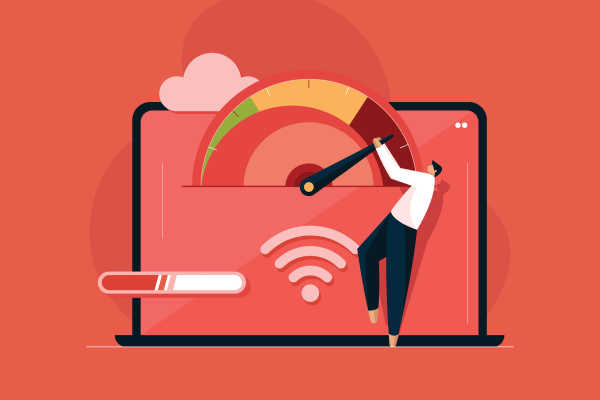
In simple terms, bandwidth refers to the maximum capacity of a communication channel to transfer data in a given period, usually measured in bits per second (bps). The larger the bandwidth, the more data can be transferred simultaneously, resulting in a faster internet connection.
To visualize it, think of bandwidth as a highway, and data as the vehicles traveling on it. The wider the highway, the smoother the flow of traffic.
On the other hand, a narrow highway filled with vehicles will cause a traffic jam, slowing down the movement. Similarly, the larger the bandwidth, the more efficiently data can flow, making activities like browsing, streaming, and downloading files quicker.
The Function of Bandwidth
After understanding what bandwidth is, you might wonder 'what is the function of bandwidth in a business, and how does it affect internet speed?'. Here are some key functions of bandwidth:
1. Primary Channel for Data Transfer
Bandwidth acts as the primary pathway for transferring data between devices, be it computers, mobile phones, or cloud services. With sufficient bandwidth, employees can browse, stream, collaborate, and download large files without experiencing delays.
Without enough bandwidth, even basic tasks like sending emails with attachments or joining a Zoom call can become painfully slow.
2. Maintaining Data Transfer Speed
Bandwidth is also responsible for distributing the internet speed among all users on a network. This is like a toll road with multiple lanes, if one user consumes all the bandwidth by downloading a large file, others will experience slow or disrupted internet.
For example, if an employee in your office is downloading a huge file and there's no bandwidth limitation in place, other users will feel the slowdown, leading to frustration and reduced productivity.
3. Controls Data Usage and Prevents Overload
In some cases, network administrators limit the amount of data that can be downloaded or accessed to ensure network stability. For businesses or educational institutions, this can help maintain optimal network performance by preventing traffic spikes.
How to Choose the Right Bandwidth for Your Business
Choosing the right bandwidth for your business can be a game-changer. If you pick too little, you risk slowdowns, but if you choose too much, you might waste resources. Here are some essential tips for making the right choice:
1. Understand Your Business’s Needs
Start by assessing how your business uses the internet. Is it for basic email and browsing, or do you require cloud services, video conferencing, and large file transfers?
Small businesses with lighter usage may do well with 25-50 Mbps, but larger companies with multiple employees may need 100 Mbps or more to maintain smooth operations.
2. Prioritize Speed and Reliability
While high bandwidth is important, reliability is just as crucial. Frequent dropouts or latency issues can disrupt virtual meetings, delay customer support, and impact overall efficiency.
Look for an ISP (Internet Service Provider) that guarantees uptime and offers a solid Service Level Agreement (SLA).
3. Select the Right Connection Type
Not all internet connections are created equal. Here are some options to consider:
-
Fiber Optic: Best for businesses needing fast, stable connections for data-heavy tasks like video streaming or cloud computing.
-
Cable: Fast up to 100 Mbps but may experience slowdowns during peak hours.
-
DSL: Suitable for small businesses with light internet needs.
-
Satellite: A good choice for remote areas, though it can have high latency.
-
Cellular Broadband: Flexible but less stable compared to wired connections.
4. Align with Your Budget
Internet prices vary widely, so don’t just focus on promotional deals. Consider hidden costs like installation fees, equipment rentals, and potential price hikes after the initial contract period. Choose a plan that balances quality and price for long-term value.
5. Check Upload and Download Speeds
Most plans emphasize download speeds, but businesses that frequently upload data like those doing live streams or cloud backups, should look for symmetrical bandwidth, where upload and download speeds are equal.
6. Consider Bandwidth on Demand
Some ISPs offer Bandwidth on Demand, a feature that allows you to increase your bandwidth temporarily when needed. This is perfect for events like webinars or product launches, as you only pay for the extra bandwidth during peak times.
7. Regularly Evaluate and Adjust Your Needs
As your business grows, so will your internet requirements. Regularly evaluate your bandwidth needs and adjust your plan to ensure optimal performance.
8. Choose an ISP with Excellent Customer Support
No matter how good your internet setup is, technical issues can arise. Choose an ISP with responsive 24/7 customer support to quickly resolve any connection problems and minimize downtime.
Ways to Increase Bandwidth Limit and Improve WiFi for Business Performance
If you're already experiencing slow internet despite having a decent plan, here are some effective ways to increase WiFi bandwidth and optimize performance:
1. Prioritize Traffic with QoS (Quality of Service)
QoS allows you to prioritize bandwidth for critical applications like video conferences or cloud services, while limiting bandwidth for less important tasks. This ensures that essential business functions aren’t disrupted by lag or slow speeds.
2. Leverage Cloud Services
Cloud services help offload network traffic by storing and processing data externally. This reduces the demand on your internal network, making bandwidth usage more efficient, especially for businesses that share and store large files.
3. Monitor Network Usage
Use network monitoring tools to identify devices or applications consuming too much bandwidth. This allows you to adjust priorities and optimize the network for better efficiency.
4. Limit Non-Business Internet Activity
To ensure bandwidth is used efficiently, restrict non-business-related internet usage, like access to entertainment sites or social media, during work hours.
5. Schedule Updates and Backups During Off-Peak Hours
Run software updates and backups during off-peak hours, such as late at night. This ensures that these processes don’t consume bandwidth during peak business hours, keeping the network fast and efficient.
6. Update Router Firmware and Optimize Settings
Keep your router firmware up to date and optimize settings, like selecting a stable Wi-Fi channel and separating the main network from guest networks, to avoid unnecessary bandwidth consumption.
7. Regular Network Maintenance and Upgrades
Just like any other business asset, your network infrastructure requires regular maintenance. Inspect cables, switches, and routers for wear and tear. Test actual internet speeds to ensure they match what your ISP promises.
If performance issues persist despite optimization efforts, consider upgrading your internet plan or replacing outdated equipment. Investing in modern networking gear can deliver long-term improvements in speed, reliability, and scalability.
Maximize Business Performance with the Right Bandwidth Strategy
Optimizing bandwidth is about more than just increasing internet speed, but it’s about making your business more efficient and productive. A stable and fast connection improves communication, streamlines processes, and boosts overall productivity.
For businesses requiring more reliable and tailored solutions, Telkomsel Enterprise offers Private Network that provide customized bandwidth, ensuring uninterrupted connectivity and enhanced data security. With this service, you can focus on growing your business without worrying about bandwidth limitations.
Don't let slow internet hold back your business growth. Contact us today to get the optimal network solution that fits your company’s needs.