Which language would you like to use?




Bind your mobile account, IndiHome, Orbit, and other Telkomsel services on MyTelkomsel to manage all of your services seamlessly and earn special loyalty perks.


It's a special program for customers who link or bind their IndiHome ID and Telkomsel number, allowing them to have a single identity number (TSEL-ID).
Going forward, customers with more than one service will receive special offers as a token of appreciation for their willingness to use various Telkomsel services.
This program will continue, as Telkomsel aims to provide the best possible experience for loyal Telkomsel and IndiHome customers.
Before the auto-binding is carried out, customers will receive an SMS or WhatsApp message as follows:
SMS
"Halo pelanggan IndiHome. Apakah Anda penanggungjawab IndiHome no 1212xxxx Bls BENAR atau SALAH ke 5111 & dptkan voucher PLN 20rb terbatas sd 28-09-2025"
“Halo pelanggan setia Indihome 1212xxxx. Kami ingin memastikan bahwa informasi kontak Anda sudah benar agar Anda dapat terus menerima pemberitahuan penting terkait layanan Anda. Silakan klik Benar jika nomor ini benar atau Salah jika Anda ingin memperbarui kontak”
If the customer replies "BENAR" (true) to 5111 or taps the "BENAR" (true) button on WhatsApp, the customer's IndiHome and Telkomsel numbers will be processed for binding.
Telkomsel will validate this by collecting data from customer interactions while using IndiHome and Telkomsel, ensuring that the telephone/mobile number used as the primary IndiHome contact is valid and can be processed for binding with the TSEL-ID Auto-Binding.
Customers eligible for the TSEL-ID Auto-Binding program are:
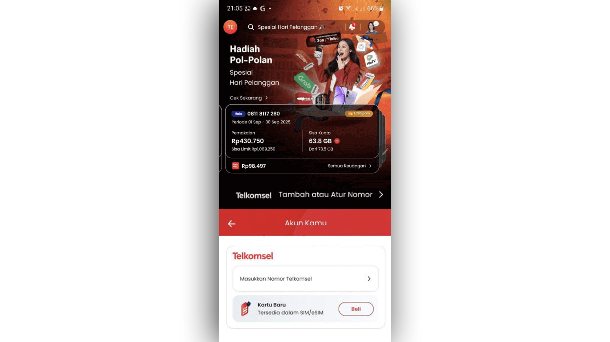
01
Open MyTelkomsel
Tap “Add or Manage Number” and enter your Telkomsel number.
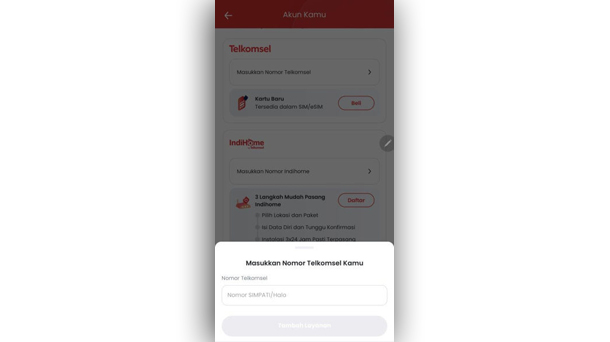
02
Input your number
Type in your active Telkomsel number on the field.
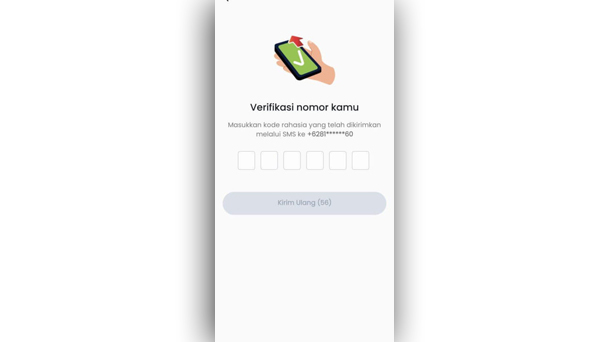
03
Input the OTP
Enter the OTP code you receive on your Telkomsel number.
04
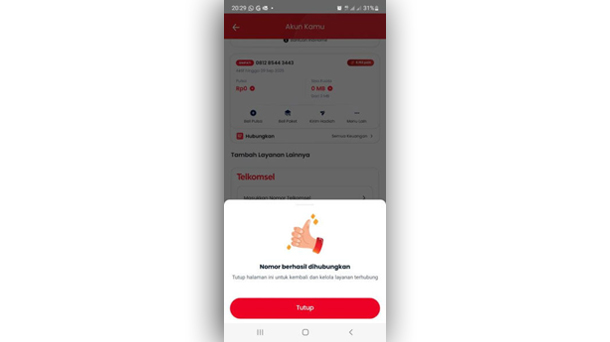
Successful account binding
Your Telkomsel and IndiHome numbers are now linked!
01
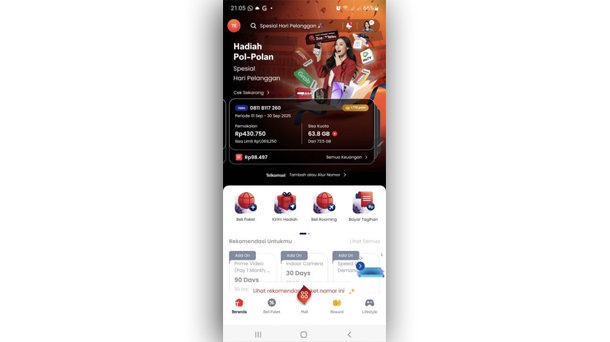
Open MyTelkomsel
Choose the number you want to unbind by sliding the card.
02
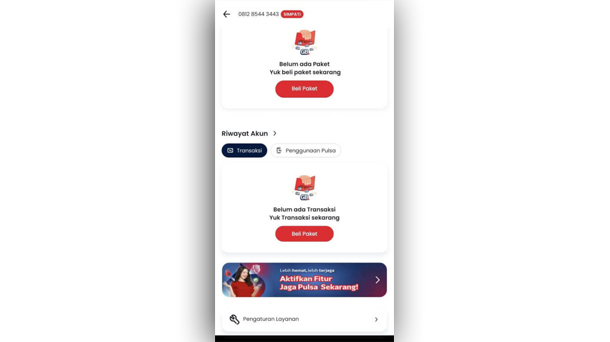
Manage your service
Scroll down and go to the “Service Settings” menu.
03
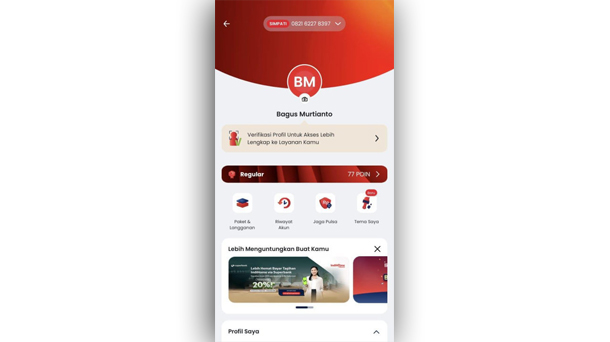
Go to Profile
You'll enter the Profile page of the account you’re about to unbind.
04
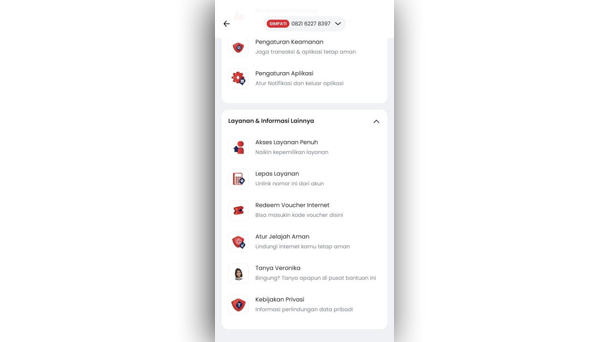
Unbind the service
Scroll down and tap the “Unbind Service” menu.
05
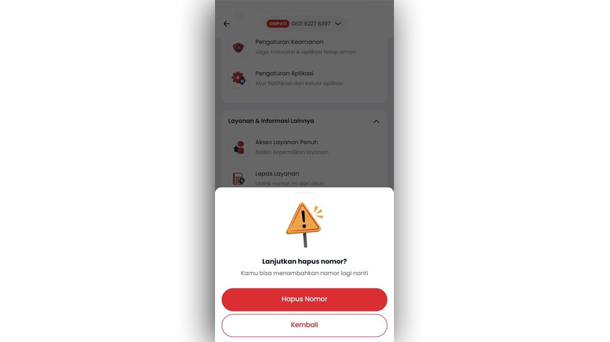
Confirm the unbinding
Proceed to unbind the service by tapping “Delete Number”.
06
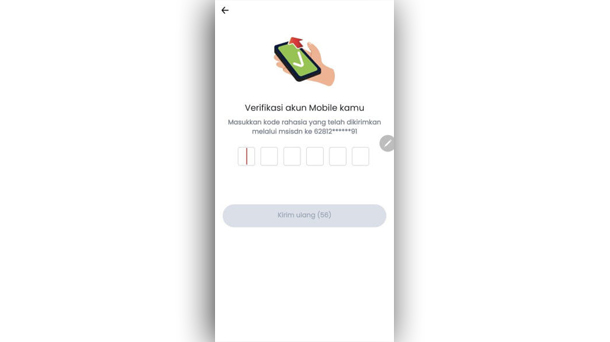
Input the OTP
Enter the OTP code you receive on your main Telkomsel number.
07
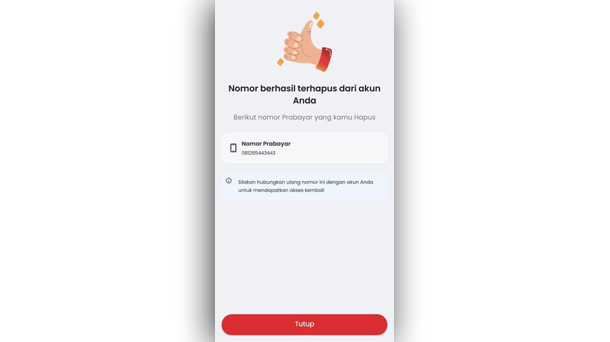
Successful account unbinding
The number and service are now unlinked from your account.
What is IndiHome and Telkomsel Auto-Binding?

What are the benefits of this account merger?
Who can participate in auto-binding?
Will my IndiHome number/ID change?
Can I add accounts on MyTelkomsel App?
How do I add/bind an account connected to MyTelkomsel?
What if I don't want to merge my accounts?
What if I encounter problems with this program?