


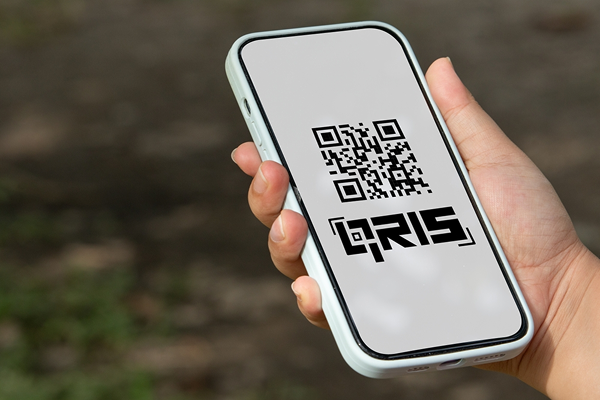


Knowing how to make QRIS payment is important for business owners who want to offer customers a simple and practical payment method. As digital transactions continue to grow, QRIS (Quick Response Code Indonesian Standard) has become widely used because it allows customers to make payments quickly and conveniently.
Besides improving the customer experience, QRIS can also make it easier for businesses to record and monitor transactions in a more practical way.
What Is QRIS?
QRIS, or Quick Response Code Indonesian Standard, is a payment QR code standard developed by Bank Indonesia together with the payment system industry. Through QRIS, merchants only need to provide one QR code to accept payments from different payment applications that support QRIS.
QRIS makes the payment process simpler because merchants do not need to prepare a different QR Code for every payment provider. Customers simply scan the QR Code using the payment application they use and complete the transaction by following the instructions shown in the app.
For businesses, QRIS can be used by different types and sizes of businesses, from micro, small, and medium enterprises (MSMEs) to companies with a wider merchant network. This payment method can support transactions at physical stores as well as other sales activities where customers can make payments through a QR Code.
However, it is important to understand the difference between QRIS as a payment standard and a Payment Service Provider (PJP), or Penyelenggara Jasa Pembayaran, which facilitates merchant registration. To obtain an official QRIS, you need to register your business through a licensed PJP and meet the applicable requirements.
Benefits of Using QRIS for Sales
Here are some of the benefits of using QRIS for business operations:
1. Make Payment Transactions Faster and Easier
Payments can be completed within seconds. Customers only need to open their payment application, scan the QR Code, enter the payment amount, and confirm the transaction. This can help avoid issues such as long queues at the cashier caused by the need to prepare or give back cash.
2. One QR Code for Different Payment Methods
Regardless of the payment application customers use, whether popular digital wallets or mobile banking applications from different banks, they can make payments through the same QR Code.
3. Safer and More Transparent Transactions
Digital payment systems can reduce the risk of receiving counterfeit money, which can cause losses for merchants. In addition, incoming funds are automatically recorded in the system, helping reduce the risk of cash being lost due to mistakes or theft.
4. Increase Sales Opportunities
More consumers are choosing not to carry large amounts of cash. By providing a cashless payment option, you can reach customers who prefer digital payments and potentially increase the average value of their purchases.
5. Make Business Monitoring and Analysis Easier
Every successful transaction is automatically recorded in a digital transaction history. This makes it easier to manage daily bookkeeping, monitor cash flow, and analyze sales trends without having to record every transaction manually.
6. Support Indonesia's Digital Economy
Adopting digital payments also means contributing to greater financial inclusion across Indonesia. This support can help accelerate the development of a more structured and connected digital economy ecosystem.
Requirements for Creating a QRIS for Business
Before learning how to make QRIS for business, you need to prepare the requirements needed to register your business as a merchant. The registration process requires information about the business owner or person in charge, as well as business details. The required documents may vary depending on the type of business and the PJP you choose.
Individual Business Category (MSMEs and Small Businesses)
-
Business owner's Identity Card (KTP)
-
Business owner's Taxpayer Identification Number (NPWP), if available
-
Bank account under the business owner's name for receiving settlement funds
-
Clear photos of the business location (the front area, interior, or products being sold)
-
Active phone number and email address
Business Entity Category (CV, PT, Foundation, or Cooperative)
-
KTP of the person in charge or managing director
-
Company or business entity NPWP
-
Business Deed of Establishment along with the Ministry of Law and Human Rights (Kemenkumham) approval letter
-
Business Identification Number (NIB) or Trading Business License (SIUP)
-
Bank account under the name of the business entity or company
-
Photos of the office or business operating location
Before registering, make sure all the information you provide is accurate and still valid. You should also choose an official PJP and understand the applicable transaction fees and terms.
How to Make a QRIS for Payment
Once all the requirements are ready, the QRIS registration process can be completed through a PJP that provides merchant registration services. The process generally includes the following steps.
1. Choose the Right PJP
Choose a Payment Service Provider that offers QRIS services for merchants. Make sure the provider is a licensed PJP that operates according to Bank Indonesia's regulations.
You can also consider the provider's service features, merchant support, settlement process, transaction fees, and any additional features available.
2. Register as a Merchant
Follow the merchant registration process provided by the selected PJP. At this stage, you will need to enter your business information and upload the required documents.
Make sure all information matches your official documents so the verification process can run smoothly.
3. Wait for the Verification Process
After you submit your information, the PJP will review and verify your application. If the information meets the requirements, your merchant application will proceed to the next stage.
If there are documents or information that need to be corrected, update them according to the instructions provided by the PJP.
4. Get Your QRIS
Once your merchant application is approved, you will receive your QRIS according to the PJP's process. You can then place the QR Code in a payment area that is easy for customers to see and access.
For daily operations, make sure the QRIS is not easily damaged, covered, or placed in a position that makes it difficult to scan.
5. Test the Transaction
Before actively using the QRIS, conduct a test transaction to make sure the QR Code can be scanned properly, and the payment is recorded correctly. Cashiers and other employees responsible for handling payments should also understand how to receive payments and verify whether a transaction has been completed successfully.
How to Use QRIS to Accept Payments
Once your QRIS is ready, using it to receive customer payments is relatively simple. Merchants can follow these steps:
1. Display the QR Code at the Cashier
Place a QR Code sticker or acrylic display in a location that is clearly visible and easy for customers to reach when they are at the cashier.
2. Ask Customers to Scan the Code
Customers can open their preferred digital wallet or mobile banking application. They can then select the "Scan" feature and point their phone camera at your store's QR Code.
3. Verify the Payment Amount
For static QRIS, ask customers to manually enter the amount they need to pay. After the payment is made, ask them to show the "Payment Successful" confirmation before handing over the goods.
4. Check the Transaction History
Check the merchant application on your phone to make sure the payment has actually been received in the store's account in real time.
This verification stage is especially important for businesses that handle a large number of transactions. Do not rely only on the payment receipt or confirmation shown by the customer. Make sure the transaction has actually been received through the merchant's system or verification channel.
Challenges of Accepting QRIS Payments for High-Volume Businesses
QRIS can make payments much easier, but businesses with a high transaction volume may face challenges when verifying payments. When the cashier is busy and multiple transactions arrive one after another, employees need to make sure every payment has been completed before finalizing each transaction.
If payment verification is done only by manually checking an application or device, the risk of errors can increase. Employees may be late in noticing incoming payments, matching the wrong payment to a transaction, or even miss a payment when the cashier area becomes crowded.
The situation can become even more challenging for businesses with multiple cashiers, outlets, or transactions taking place at the same time. For this reason, businesses need a system that can provide quick and easy-to-recognize payment confirmations for staff.
Soundbox from Telkomsel Enterprise: A Practical Solution for QRIS Transactions
To help address these operational challenges, Telkomsel Enterprise offers an effective solution through Soundbox. This smart device provides a voice notification whenever a QRIS transaction is successfully completed.
With real-time payment confirmation, Soundbox can help reduce errors when checking transactions, improve payment security, and make the payment process faster and more practical, especially for businesses that handle a high volume of payments.
Soundbox also allows staff to know the payment status without having to constantly check a device screen. This feature can help speed up the cashier process while providing an additional layer of verification during transactions.
With Soundbox from Telkomsel Enterprise, your business can speed up payment verification, reduce the potential for transaction errors, and improve operational efficiency even when payment volumes are high.
Ready to improve your business payment process? Take advantage of Soundbox from Telkomsel Enterprise to receive real-time QRIS transaction confirmations and support a faster, more practical, and secure cashier operation.
FAQ:
Do I need to have a business to create QRIS for sales?
Yes. QRIS is intended for merchants or business owners that accept payments through QRIS, including micro and small businesses. You need to register your business through a QRIS Payment Service Provider (PJP) licensed by Bank Indonesia.
What are the requirements for creating QRIS?
The general requirements include the owner's identification, business information, a bank account or required payment details, and supporting documents based on the PJP's requirements. The exact requirements may vary depending on the type of business and the PJP you choose.
How much does it cost to create QRIS?
QRIS registration does not require a registration fee. However, each transaction may be subject to a Merchant Discount Rate (MDR) based on the merchant category determined by Bank Indonesia. The MDR rate should be considered because it can vary depending on the type of transaction and merchant category.
How long does QRIS registration take?
The registration time depends on the completeness of the submitted information and the verification process carried out by the selected PJP. Once the registration and verification have been approved, the QRIS can be used according to the PJP's applicable terms and procedures.