




Maintaining privacy in business communications is no longer optional, but it's essential. For companies that frequently engage in outbound calls, knowing how to hide number when calling is a valuable skill that goes beyond simple anonymity.
It plays a crucial role in protecting sensitive data, minimizing unwanted follow-ups, and fostering trust with clients. Whether you're reaching out to potential customers, coordinating with partners, or managing support lines, concealing your caller ID can significantly enhance both security and professionalism.
More importantly, masking your number shows customers that you value their privacy, a gesture that helps build trust and makes them more willing to engage with your brand.
Why Using a Private Number Matters for Businesses
For any business, protecting customer data isn’t just about securing databases, but it extends to every point of contact, including voice communication. Using a private number is a smart way to prevent information leaks and maintain a high standard of professionalism.
-
Protecting Customer Privacy
When you mask your number, your real business phone number stays hidden. This extra layer of privacy ensures your company, and your customers, are both protected during every call.
-
Avoiding Unwanted Calls
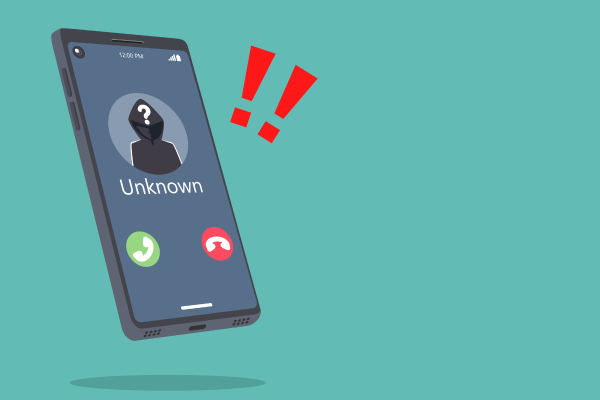
If your business makes frequent outbound calls, there’s a high chance your team may receive return calls from unknown sources, including spammers, competitors, or even malicious actors. By hiding your number, you reduce the risk of exposing your lines to misuse.
Moreover, it helps maintain focus within your team by limiting distractions caused by irrelevant or unsolicited callbacks.
-
Building Customer Confidence
Customers are more likely to communicate with a business that clearly respects their privacy. Hiding your number gives them peace of mind, encouraging more open and frequent engagement.
How to Hide Your Number When Calling on Android
If your business uses Android devices, hiding your number is quick and simple. Whether you're doing it temporarily or setting it up as default, Android offers built-in tools to help.
Using Built-In Phone Settings
-
Open the "Phone" app
-
Tap the three dots (menu) at the top right
-
Go to "Settings"
-
Select "Calling Accounts", then choose your SIM (for dual SIM phones)
-
Tap "Additional Settings"
-
Select "Caller ID"
-
Choose "Hide Number"
Using Dial Codes
For one-off private calls, dial code prefix such as #31# before entering the recipient number. This method works on both Android and iOS devices.
This will temporarily suppress your caller ID for that specific call only. It’s a quick and effective way to maintain flexibility in your communication.
How to Hide Your Number When Calling on iPhone
iPhone users can also easily manage their caller ID settings directly from the iOS system settings. While iPhones don’t offer a direct dial code option like Android (unless carrier-supported), they provide a straightforward toggle-based solution:
Using Phone Settings
-
Go to your "Settings"
-
Scroll down and tap "Phone"
-
Select "Show My Caller ID"
-
Toggle it off to hide your number
Using Dial Codes
Some mobile carriers allow iPhone users to block their number via service codes similar to Android. Use #31# before dialing the recipient number to hide your caller ID for that specific call.
However, this depends on your provider and regional support. It’s best to check with your carrier if you need per-call blocking capabilities.
These quick methods ensure your business communications remain secure while keeping your contact details private.
Use Third-Party Apps for Advanced Number Masking
While basic caller ID blocking works well for individuals or small-scale use, businesses that require scalable, secure, and flexible communication solutions should consider using third-party apps or enterprise-level number masking platforms.
These tools go beyond simple caller ID suppression and offer full-fledged communication management features.
-
Virtual Number Solutions
Many apps allow you to create virtual numbers for calls and texts. These numbers can be used temporarily and then changed or deactivated as needed. This gives your business full control over its communication channels.
-
Benefits of Third-Party Apps
By using these tools, your business can scale communications without compromising privacy.
-
User-friendly interfaces with easy setup
-
Advanced features like call forwarding, voicemail, and SMS support
-
Ability to manage multiple virtual numbers for different departments or teams
Conclusion
Understanding how to hide numbers when calling is a small yet impactful step toward securing your business communications and fostering trust with your audience. From basic caller ID blocking to advanced number masking technologies, there are multiple options tailored to different needs and scales of operation.
By implementing these strategies, you not only protect your business from potential threats but also enhance the overall experience for your customers. Whether you're using native phone settings, dial codes, or integrated communication platforms, taking control of your outgoing calls is essential in today’s privacy-conscious world.
If you're looking for a secure, scalable solution, Telkomsel Enterprise's CPaaS Number Masking service offers the perfect answer. This platform allows your business to mask both incoming and outgoing calls, keeping sensitive information secure while maintaining seamless communication.
With easy integration and a reliable infrastructure, Telkomsel’s CPaaS helps your business stay professional, trusted, and protected.
Ready to transform your communication strategy? Contact us today to learn how our CPaaS solutions can help your business stay secure, compliant, and connected.