


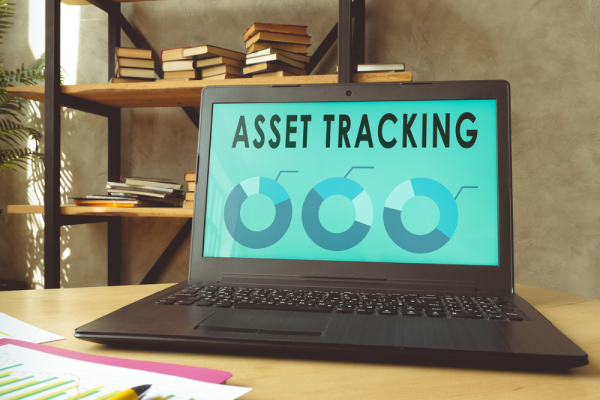


Asset tracking is one of the ways businesses can keep their assets visible while gaining better control over operational costs. Lost, damaged, or poorly maintained assets can lead to additional expenses, whether the company needs to replace them or pay for repairs.
Imagine an operational vehicle that misses its maintenance schedule or an office laptop that suddenly goes missing, with no clear record of who used it last. These situations may seem minor at first, but they can disrupt daily operations and even lead a company to purchase assets that are actually still available.
This is where asset tracking plays an important role in helping businesses manage their assets in a more organized and efficient way.
What Is Asset Tracking?
Asset tracking is the process of recording, monitoring, and tracing physical assets owned or used by a company. These assets can include laptops, computers, production machines, company vehicles, office equipment, and other operational devices.
The information being tracked is not limited to an asset location. Companies can also record their serial number, purchase date, condition, assigned user or person responsible, maintenance history, and asset value.
To make tracking easier, asset tracking commonly uses technologies such as barcodes, QR codes, RFID, GPS, or asset management software. Each asset is assigned a unique identity, making its information easier to find, update, and manage.
So, how is asset tracking different from inventory tracking? Asset tracking primarily focuses on operational assets with a relatively long lifespan. Conversely, inventory tracking is mostly used to monitor stock items that are constantly moving in, out, or being sold.
Why Is Asset Tracking Important for Business?
Adopting asset tracking is essentially about making sure companies can access the information they need without constantly relying on manual checks. However, the benefits go beyond simply knowing where an asset is.
Here are some of the key benefits businesses can gain from asset tracking:
1. Makes Assets Easier to Find and Trace
Some companies have hundreds of laptops, vehicles, machines, and work equipment spread across different locations. With that many assets, manually searching for a particular item can take a significant amount of time.
With asset tracking, asset locations and responsible users can be recorded in a centralized system. Teams no longer need to ask one person after another just to find a particular device.
2. Reduces the Risk of Lost Assets
Every asset owned by a company has value. Losing a single device may not seem like a major financial issue. However, when asset loss happens repeatedly, the impact on company finances can become much more significant.
Recording asset movements makes it easier for companies to identify who is using or responsible for a particular asset. This helps strengthen accountability across the organization.
As a result, the risk of assets disappearing without a clear record can also be reduced.
3. Help Plan Maintenance
Company assets cannot simply be used continuously without proper maintenance. One common problem is that maintenance schedules are only noticed after an asset starts experiencing problems or breaks down.
With documented maintenance history, companies can see when an asset was last inspected and when its next maintenance should take place.
This proactive approach can help reduce the risk of unexpected breakdowns and operational downtime.
4. Reduces Unnecessary Spending
Have you ever considered a situation where a company purchases new equipment simply because it assumes the old asset is no longer available?
Without accurate asset data, this can easily happen. Asset tracking helps companies identify which assets are available, currently being used, unused, or in need of repair. This information can become an important reference before the company decides whether to purchase, replace, or repair an asset.
5. Makes Asset Audits and Records Easier
Manually auditing assets can take a considerable amount of time, especially when a company manages a large number of assets.
With a tracking system, asset records can be compared with their actual condition through barcode scans, QR codes, or other identification technologies. This process helps reduce recording errors while making asset audits more organized and easier to manage.
How Does Asset Tracking Work?
The way asset tracking works is actually quite straightforward. Technology acts as a supporting tool, but the most important part is how a company builds its asset recording process and uses it consistently.
Here are the main steps involved:
1. Identify Assets to Track
The company must decide which assets will enter the system. You do not have to register everything at once. Prioritize high-value, operationally critical, frequently moving, or maintenance-heavy assets, then create a comprehensive list.
2. Build an Asset Database
Each asset is then registered in a database. The information may include the asset name, serial number, purchase date, value, location, condition, assigned user, and maintenance history. This database becomes the central source of information for the company's assets.
3. Assign Unique Labels
Each asset should receive a unique identifier, such as a barcode, QR code, RFID tag, or another type of tracking label. The identifier must be unique so that one asset cannot easily be confused with another. When the label is scanned, the asset information can be displayed or updated in the tracking system.
4. Execute Monitoring and Maintenance
Once assets have been registered, the information needs to be updated whenever something changes. For example, an asset may move to another location, be assigned to a different employee, become damaged, or complete a maintenance process.
At this stage, discipline is just as important as technology. Even the most sophisticated asset tracking system will provide limited value if the information inside it is rarely updated.
5. Analyze Asset Usage
The final step is to use asset data to support business decisions. Companies can identify which assets are heavily used, rarely used, expensive to maintain, or approach the end of their useful life.
At this point, asset tracking becomes more than a tool for finding equipment. The collected data can help companies determine whether an asset should be kept, repaired, relocated, reused, or replaced.
Challenges of Implementing Asset Tracking in Business
The more assets a company owns and the wider its operational area becomes, the more complex asset tracking can be. Several challenges commonly appear as businesses grow.
1. Continuously Growing Asset Volume
Growing companies usually acquire more laptops, vehicles, machines, communication devices, and other operational equipment. If the asset recording system does not grow along with the business, asset information can eventually become difficult to control.
The challenge is not simply having more data. Every asset can also have a different condition, location, user, and maintenance history. For this reason, companies need a system capable of storing and updating this information in an organized way.
2. Infrequently Updated Asset Data
Assets can change locations, employees can receive different devices, laptops can be taken from the office to external locations, and vehicles can be transferred from one user to another.
All of these changes need to be recorded. Unfortunately, updates are often made only after the change has already happened, or they may be forgotten altogether.
When someone checks the database, the system may show that an asset is located at Location A. In reality, the asset may have already moved to Location B. Inaccurate information like this can undermine the main purpose of asset tracking.
3. Over-Reliance on Manual Processes
Spreadsheets are easy to use for a handful of items. However, as asset numbers grow, manual entry becomes time-consuming and highly prone to human error. Data can be mistyped, duplicated, or inconsistently updated.
This raises an important question: if asset information takes days to verify, can it still effectively support business decisions?
4. Assets Are Spread Across Multiple Locations
Not every company operates from a single building. Many have multiple branches, warehouses, project sites, operational vehicles, and mobile employees.
This makes asset monitoring more challenging. Companies need to know not only what assets they own but also where those assets are located and who is using them.
5. Digital Asset Security
Asset tracking often focuses on physical objects. However, devices such as laptops and smartphones can also store or provide access to important company data.
If these devices are lost or accessed by unauthorized individuals, the risk extends beyond hardware loss to severe data breaches. Therefore, managing physical assets and securing digital devices must be treated as interconnected priorities.
The Importance of Mobile Device Management in Supporting Asset Tracking
At many companies, smartphones and tablets are used to receive work assignments, access business applications, conduct field inspections, scan asset QR codes, update information, and communicate with teams.
This means mobile devices themselves have become part of the asset tracking ecosystem. As a result, these devices also need to be properly managed. Here are several reasons why mobile device management is important for businesses.
1. Maintaining Secure Corporate Access
Mobile devices can provide access to email, internal applications, cloud services, and company data. If a device falls into the wrong hands, those access points can become a security vulnerability.
To reduce this risk, companies can establish security policies covering areas such as access control, authentication, and the acceptable use of corporate devices.
2. Ensuring Devices Are Used Appropriately
Not every employee needs the same applications or level of access. A field team, for example, may only need specific applications to complete its daily responsibilities.
With centralized device management, companies can control applications and access based on user roles. This can help ensure that business devices are used according to operational requirements while reducing unnecessary access or usage.
3. Simplifying Device Monitoring
When a company manages dozens or hundreds of mobile devices, monitoring them individually is not practical. A centralized device management system can give IT teams better visibility to the devices being used across the organization.
This can include information about device status and whether the devices comply with company policies.
4. Accelerating Troubleshooting for Problematic Devices
Devices used for business operations should not remain unavailable for too long. If a device is lost, experiences a technical problem, or no longer meets security standards, the company needs to respond quickly.
With centralized device management, IT teams can take certain actions remotely without always needing physical access to the device.
MDM as Support for More Integrated Asset Tracking
Asset tracking for business, particularly when it involves mobile device management, can be supported through Mobile Device Management (MDM). This technology allows companies to manage mobile devices centrally, from device configuration and application management to access control and security policies.
Mobile Device Management (MDM) from Telkomsel Enterprise is designed to help companies centrally manage and secure mobile devices used to support business operations. MDM enables companies to control devices, configure access, and monitor device usage according to company policies.
With more integrated device management, companies can strengthen the security of their digital assets while ensuring that business devices continue to support day-to-day operations.
FAQ
What is asset tracking?
Asset tracking is the systematic process of recording, monitoring, and tracing physical assets owned or utilized by a company. The information tracked can include location, serial numbers, condition, assigned users, purchase dates, and maintenance history. This process is typically supported by technologies such as barcodes, QR codes, RFID, GPS, or dedicated asset management software.
What are the benefits of asset tracking for companies?
Asset tracking helps companies easily determine the location and condition of their assets without relying on continuous manual checks. Additionally, it reduces the risk of asset loss, enables proactive maintenance planning, prevents unnecessary purchases of already-available equipment, and streamlines the asset recording and auditing process.
What types of assets can be monitored using asset tracking?
Various physical assets used to support business operations can be monitored through asset tracking. Examples include laptops, computers, company vehicles, production machines, smartphones, tablets, office equipment, and other operational devices.
However, companies should prioritize assets that have high value, are important to daily operations, frequently move between locations, or require regular maintenance.
How does an asset tracking system work?
The process begins by identifying the assets that need to be tracked and entering their details into a centralized database. Next, each asset is assigned a unique identifier, such as a barcode, QR code, RFID tag, or similar marker.
When an asset is scanned or undergoes a change in location, user, condition, or maintenance status, the system is immediately updated. This data is then used to monitor assets and analyze utilization, ultimately supporting informed corporate decision-making.