




Cybersecurity threats continue to evolve, but one method that remains dangerously effective is the brute force attack. While it may seem like an outdated technique, this simple yet relentless strategy can lead to massive data breaches, financial loss, and a shattered business reputation. But here’s the good news, this threat can be prevented.
Let’s dive into the full scope of this attack, including what is a brute force attack, how it operates, and most importantly, how to protect against brute force attack attempts using modern technology.
What is a Brute Force Attack?
If you've heard of hackers repeatedly guessing passwords until they get it right, you're already familiar with the concept of brute force. So, what is a brute force attack, exactly?
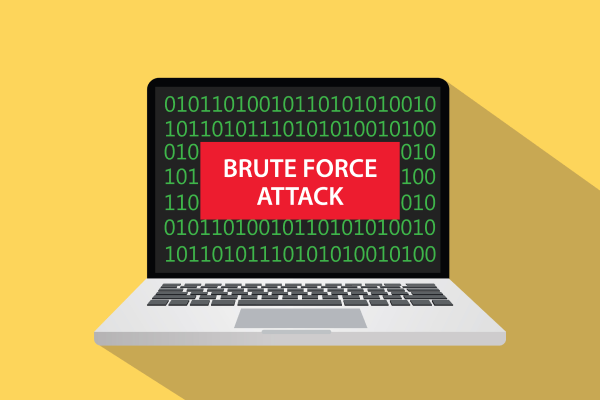
A brute force attack is a hacking technique where attackers try numerous combinations of usernames and passwords until they find the right one. Using automated tools, cybercriminals can test thousands, even millions of login combinations in minutes. It's the digital equivalent of trying every key on a keychain until one unlocks the door.
Despite its simplicity, brute force is still widely used. Why? Because many systems are poorly protected, and users still rely on weak, easy-to-guess passwords. This low-effort method remains a favorite tool for hackers looking to exploit vulnerable accounts.
Common Brute Force Attack Methods
A brute force attack isn’t just one method, but it’s a collection of techniques designed to crack passwords through repetition and logic. Here are five of the most common types:
1. Simple Brute Force Attack
This is the simplest brute-force method. In this method, hackers try various username and password combinations manually or using simple tools.
The attack usually focuses on commonly used passwords. While it may sound old-fashioned, this method still works because many users choose passwords that are easy to guess.
2. Dictionary Attack
This technique uses a preloaded “dictionary” of common passwords, such as “admin123” or “welcome2024”, and cycles through them. Faster than basic brute force, but easy to defeat with unique, complex passwords.
3. Hybrid Brute Force Attack
Understanding the user's tendency to modify simple passwords with specific patterns, this technique intelligently leverages a basic password dictionary and applies it to common internet user preferences.
This is what makes hybrid attacks so terrifying, even passwords you consider strong can be cracked with this method.
4. Credential Stuffing
Using leaked data from previous breaches, hackers try the same username-password combinations across multiple platforms. Because many users reuse credentials, this method is surprisingly successful.
5. Rainbow Table Attack
A more technical brute force variation. Attackers use massive lookup tables (rainbow tables) that store pre-computed password hashes. If the target system stores passwords in weakly hashed formats, these attacks can break in within seconds.
How Brute Force Attacks Work
Understanding how brute force attacks unfold can help you recognize and stop them early. Here’s how the process typically works:
1. Identifying a Target
Hackers start by selecting a vulnerable target, maybe a neglected admin account, an outdated system, or an application with no login limit. Weak passwords and unpatched systems make easy prey.
2. Generating Password Combinations
Attackers then generate or load massive lists of potential passwords. These lists may include everything from simple words to complex alphanumeric strings based on known patterns.
3. Launching Automated Login Attempts g
Using specialized software, attackers attempt thousands of login combinations rapidly. This stage is where the real brute force comes in, but it’s fast, relentless, and designed to overwhelm.
4. Access Gained, Damage Done
Once a correct combination is found, the attacker gains access to your system. From there, they can steal data, change configurations, or introduce malware and ransomware.
Signs of a Brute Force Attack
Every cyberattack leaves traces. Watch out for these red flags indicating a brute force attack may be in progress:
1. Multiple Failed Logins from a Singl
Seeing dozens of failed logins attempts from one IP address in a short span? That's a clear warning sign that someone is trying to crack into your system.
2. Sudden Surge in Login Failures
A spike in login failures across your system can indicate a brute force tool is actively running. These tools try thousands of combinations in minutes.
3. Unusual Activity on Dormant Accounts f
Inactive or rarely used accounts are often targeted first. If you see login attempts on these accounts at odd hours, investigate immediately.
4. Login Attempts on Default Usernames
Hackers often start with generic usernames like "admin" or "user". Frequent login attempts using these names mean you may be under attack.
5. Unexpected Network Traffic Spikes
Because brute force attacks flood systems with login requests, you may see unusual traffic, especially on your login servers. This spike often indicates an automated attack in progress.
The Business Impact of Brute Force Attacks
Brute force attacks are not just technical issues, but they can cause serious damage to your business. Here are the most common consequences:
1. Sensitive Data Breaches
Hackers can steal customer data, passwords, financial information, turning your business into a headline for the wrong reasons. Once stolen, data is sold, leaked, or used for blackmail.
2. Direct Financial Loss
From ransom demands to fraud and recovery costs, the financial damage from a brute force breach can be devastating. Restoring systems and reputation isn’t cheap.
3. Operational Disruption
Whether it's your website, payment gateway, or employee systems, brute force attacks can shut them down or make them unstable, disrupting daily operations and service delivery.
4. Data Tampering and Corruption
Attackers may not just steal data, but they can alter or delete it. Imagine customer records, financial reports, or backups being changed or erased.
5. Reputation Damage
When customers lose trust, they often leave. A publicized brute force breach can permanently damage your brand’s credibility, especially in sensitive industries like banking or healthcare.
How to Protect Against Brute Force Attack
So, how to protect against brute force attack attempts? The key is a mix of smart practices and modern tech. Here’s how you can stay ahead:
1. Use Strong, Unique Passwords
Your password is your first line of defense. Use a strong combination of 12+ characters (example: "Cyb3rSh13ld2025$") that includes a variety of characters. A simple password like "iloveyou123" can be cracked in minutes. With a strong password, hackers will have a hard time cracking it.
2. Set Login Attempt Limits
Prevent repeated guesses by locking accounts after several failed attempts. This frustrates brute force software and gives you time to react.
3. Enable Two-Factor Authentication (2FA)
With 2FA, you add an extra layer of security. In addition to a password, users must enter a code sent to a specific phone number or email address.
If you use a strong password and utilize two-factor authentication, hackers will need both to access your account. This, of course, makes their job much more difficult.
4. Add Captcha on Login Forms
CAPTCHAs stop bots from moving their tracks. Requiring users to solve image puzzles or type distorted text prevents automated login attempts.
5. Monitor Login Activity Regularly
Keep an eye on login activity and set up alerts for suspicious behavior. Use security tools that automatically detect and block brute force patterns.
Strengthen Your Security with Telco Verify
To fully protect your business from brute force attack risks, it’s time to go beyond passwords. Telco Verify offers an advanced, passwordless mobile authentication solution that eliminates guessable credentials.
With seamless API and SDK integration, Telco Verify enhances user experience while significantly reducing attack surfaces. No more worrying about password leaks or brute force attempts, your system becomes smarter, stronger, and safer.
Take the next step in cybersecurity. Secure your digital assets with Telco Verify and keep brute force attacks where they belong, out of your business.
Need help securing your system? Contact us today to learn more about Telco Verify and how it can transform your security strategy.